
Step 1: Browser
Download the latest version of Chrome or Safari.

Step 2: Add-in
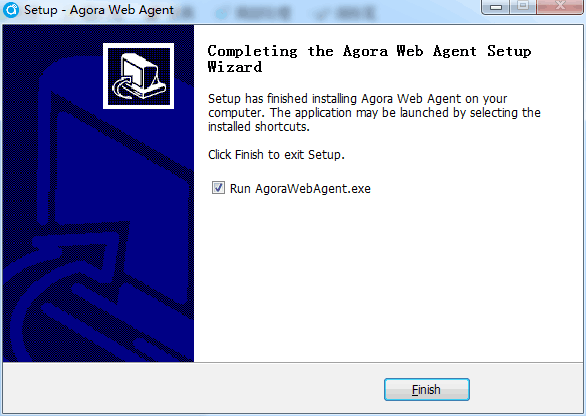
Install an add-in
For Windows system: http://www.chinlingo.com/agora/AgoraWebAgentSetup.exe
For Mac system: http://www.chinlingo.com/agora/AgoraWebAgent.pkg
Step 3: Log in

① Open www.chinlingo.com with Chrome or Safari.
② Click "Log in"

Step 4: Check the class

① Click "My courses"
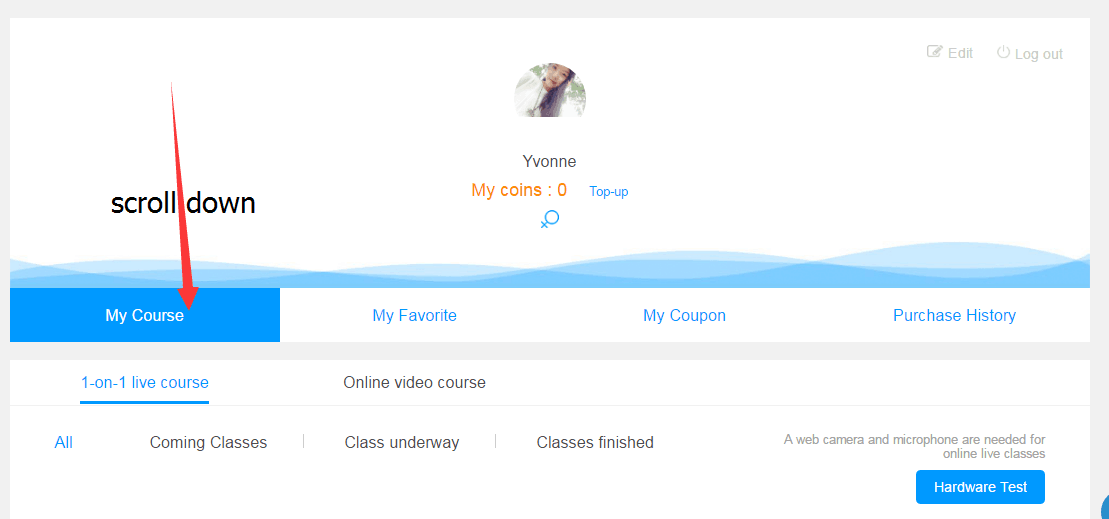
② You can check the class time and preview the courseware here.
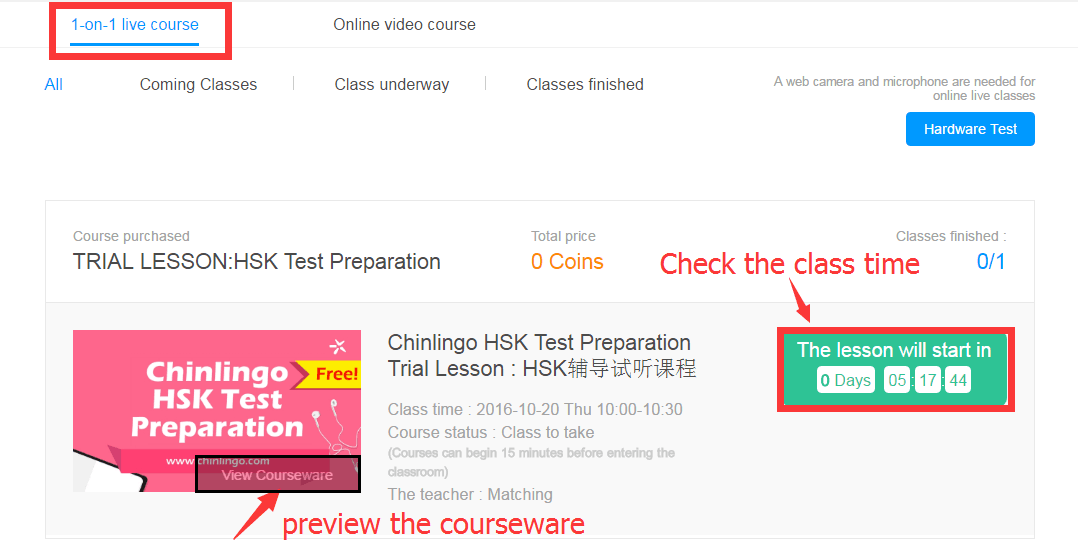
③ Enter the classroom 15 minutes before the class beigins.

The article is translated and editted by Chinlingo. Please indicate the source for any use, reproduction or transfer.
本文由Chinlingo编译后发布,如需转载,请标明来源。


 闽公网安备 35020302035673号
0 responses on "Steps to take Chinlingo's live Chinese classes"